
20 Google AI Products Explained: Full List 2026
Google’s AI lineup in 2026 spans more than twenty distinct products, and most people mix up at least four of them. The quickest way to tell them apart: Google Gemini is the assistant and chat app, Gemini (the model family) is the engine underneath it, Google AI Studio and Vertex AI are the build layers, and everything from NotebookLM to Veo is a task-specific tool wrapped around those models. Below are 20 Google AI products, what each actually does, which platform it runs on, and whether you pay for it.
- 20 Google AI Products Explained: Full List 2026
- Quick comparison: the 20 Google AI products at a glance
- The four families these 20 products fall into
- What each product does, in plain terms
- Free vs paid: a decision matrix
- How to work out what you will actually spend
- Ownership realities: what bites you after month one
- Frequently Asked Questions
Quick comparison: the 20 Google AI products at a glance
| Product | What it actually does | Platform | Free vs paid |
|---|---|---|---|
| Gemini app | Chat assistant, reasoning, image and file analysis | Web, Android, iOS | Free tier + paid plans |
| Gemini models (Flash / Pro) | The underlying model family developers call via API | API, Vertex AI, AI Studio | Free tier + usage-based |
| Google AI Studio | Browser workspace to prompt, tune and export code | Web | Free tier + paid API |
| Vertex AI | Enterprise model hosting, tuning, deployment | Google Cloud | Paid, usage-based |
| Gemini in Workspace | AI inside Gmail, Docs, Sheets, Slides, Meet | Web, mobile apps | Paid add-on to Workspace |
| NotebookLM | Answers only from your uploaded sources, with citations | Web, mobile | Free tier + paid tier |
| Google Search AI Mode | Conversational, multi-step search with sourced summaries | Web, mobile app | Free; premium tier exists |
| AI Overviews | Auto-generated summary box above search results | Search, mobile | Free |
| Circle to Search | Search anything on screen by circling it | Android, some Pixel and Samsung devices | Free |
| Gemini Live | Real-time voice conversation with camera and screen sharing | Mobile app | Free tier + paid |
| Project Astra | Research direction for always-on multimodal assistants | Research / limited demos | Not sold as a product |
| Google Lens | Camera-based translation, product ID, text capture | Android, iOS, Photos | Free |
| Gemini Code Assist | Code completion, review and refactoring in the IDE | VS Code, JetBrains, Cloud | Free tier + paid |
| Gemini CLI | Terminal-based coding and file agent | Command line | Free tier + paid API |
| Gemini for Google Cloud | Assists with cloud config, logs and troubleshooting | Google Cloud console | Paid |
| Imagen | Text-to-image generation | Web tools, Vertex AI, API | Free tier + paid |
| Veo | Text-to-video generation | Gemini app, Flow, Vertex AI | Mostly paid |
| Google Flow | AI filmmaking tool for shot-by-shot video creation | Web | Paid tier |
| Lyria | Text-to-music generation | AI Test Kitchen, Vertex AI | Limited free + paid |
| Learn About / LearnLM | Education-tuned tutoring and study tools | Web, Classroom | Free |
The four families these 20 products fall into
Almost every confusion about “Google AI” disappears once you sort the products by layer. Per Google’s own product documentation, the layering is deliberate: one model family, several ways to reach it, and many task apps built on top.
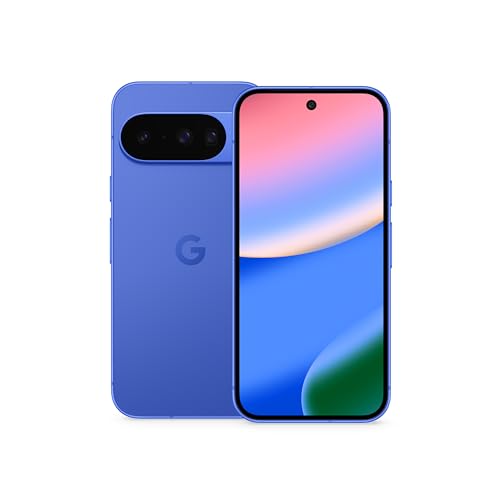
Google Pixel 10 - Unlocked Smartphone with Gemini - Indigo - 128 GB
Included for '20 Google AI Products Explained: Full List 2026' because the listing specifies Unlocked Smartphone with Gemini and Indigo, details this guide uses to compare options.
View on Amazon
The Complete Guide to Google Gemini AI: From Beginner to Power User — Master Prompting, Multimodal AI, Coding Assistance, and Advanced Gemini Features
Included for '20 Google AI Products Explained: Full List 2026' because the listing specifies Multimodal AI and Coding Assistance, details this guide uses to compare options.
View on Amazon- Assistant layer: the Gemini app, Gemini Live, Workspace integration, Lens, Circle to Search. These are what a normal person opens and talks to.
- Search layer: AI Overviews and Search AI Mode. Same models, different surface — the answer arrives inside a search results page rather than a chat window.
- Build layer: AI Studio, Vertex AI, Gemini CLI, Code Assist, Gemini for Google Cloud. These are for people writing code or deploying systems.
- Generative media layer: Imagen, Veo, Flow, Lyria. Separate models because images, video and audio have different architectures and cost profiles.
If you remember only this: a product appearing twice in different lists is usually the same model sold two ways. Gemini Pro is a model; Gemini in Workspace is a subscription that gives you that model inside your email.
What each product does, in plain terms
The assistant products
The Gemini app is the main consumer entry point — text chat, file uploads, image analysis, and deep research mode. It runs on web, Android and iOS, and has a free tier with a paid subscription above it. Gemini Live is the voice mode inside the same app, and it is genuinely different in kind: it handles interruption, holds a conversation in real time, and can use your camera or screen as input. Gemini in Workspace is not a separate app you download; it plugs into Gmail, Docs, Sheets, Slides and Meet, and it is a paid add-on to a Workspace plan rather than a standalone purchase.
The search products
AI Overviews appear automatically above ordinary search results — you do not opt in. Search AI Mode is the conversational version: you ask a multi-part question, it searches several times and returns a sourced summary you can keep drilling into. Circle to Search is the phone-only tool: circle anything on screen and search it without switching apps. Google Lens is the older, camera-first sibling, still the fastest option for translating a menu or identifying a plant.
The build products
Google AI Studio is a browser sandbox where you can prompt models, compare outputs and export working code — the free way to learn what the paid APIs do. Vertex AI is the enterprise layer on Google Cloud: model hosting, fine-tuning, evaluation and deployment with the billing and access controls a company needs. Gemini Code Assist lives in your IDE, Gemini CLI lives in your terminal, and Gemini for Google Cloud helps you diagnose cloud infrastructure from inside the console.
The generative media products
Imagen generates images from text. Veo generates video, including audio in recent versions. Google Flow is the filmmaking interface built around Veo — it is about assembling shots and scenes rather than one-off clips, which is why it sits behind a paid tier. Lyria generates music and is mostly reachable through experimental surfaces and Vertex AI. Treat availability for all four as changing fast; check the current product page rather than a 2024 article.
The research and education products
NotebookLM deserves special mention because it behaves differently from every other product here: it answers only from the documents you upload and cites them, which is why researchers and students trust it more than a general chatbot. Project Astra is a research direction for persistent multimodal assistants, not something you can buy. Learn About and the LearnLM models behind it are education-tuned, with tutoring behavior and study formats rather than general chat.
Free vs paid: a decision matrix
Rather than a single “best” recommendation, here is what actually fits each situation. Prices below are general market ranges and move often.
| Your situation | Best fit | Rough cost | Main trade-off |
|---|---|---|---|
| Casual user, occasional questions | Gemini app free tier, AI Overviews | $0 | Usage limits and slower access to top models |
| Student or researcher with source documents | NotebookLM | Free tier; paid tier adds limits | Only answers from what you upload |
| Heavy daily chat, file and image work | Gemini paid subscription | ~$20/month class | Per-account, per-person billing |
| Business already on Gmail and Docs | Gemini in Workspace add-on | Per-seat monthly add-on | Requires a Workspace plan first |
| Developer prototyping an idea | Google AI Studio | $0 to start, then API usage | Rate limits, no production hosting |
| Team deploying a production system | Vertex AI | Usage-based, can be substantial | Cloud complexity and setup time |
| Video or film creation | Veo via a paid tier, Google Flow | Subscription class | Generation quotas per month |
How to work out what you will actually spend
Consumer AI subscriptions are the easy part: most sit around the $20-per-month class, so a year of one paid tier is roughly $240. The part people miscalculate is API and enterprise use, because that is metered by tokens rather than by month. A simple worked example: if a small internal tool handles 500 requests a day averaging 1,500 tokens in and 500 tokens out, that is about 1 million input and 333,000 output tokens per day, or roughly 30 million input and 10 million output tokens per month. Multiply by the published per-million-token rate for whichever Gemini model you chose and you have a defensible monthly estimate — and a reason to test the cheaper Flash-class model before defaulting to the Pro-class one. Google AI Studio exists precisely so you can measure that before committing to Vertex AI.
Ownership realities: what bites you after month one
- Usage limits, not features, are what force upgrades. The free tiers of Gemini, NotebookLM and AI Studio are usually feature-complete enough; you pay to remove caps.
- Paid tiers and paid APIs are separate bills. A consumer subscription does not include API quota for a project you build, and a Cloud billing account does not give you the consumer app’s paid features.
- Product names churn faster than anything else. Experimental surfaces get renamed or folded into main apps. If a product seems to have vanished, it was probably merged rather than cancelled.
- Region availability varies. Video and music generation in particular roll out market by market, so a feature demoed publicly may not appear where you live.
- Verify anything consequential. These tools are useful for drafting, summarizing and exploring — they are not a substitute for professional advice, and outputs should be checked against the cited source.
Frequently Asked Questions
Is Google Gemini the same as Google Bard?
Bard was the earlier name for Google’s consumer chat assistant and was rebranded to Gemini. In 2026 the name Gemini covers both the assistant app and the underlying model family, which is why you see it in product names and in developer documentation. If you find a tutorial referring to Bard, it is describing an older version of the same lineage.
Which of these 20 products are completely free?
AI Overviews, Circle to Search, Google Lens, Google AI Studio on its free tier, NotebookLM on its free tier, and the Gemini app’s free tier all cost nothing. Learn About and the education tools are also free. Everything involving video or music generation, enterprise deployment, or Workspace integration has a paid element.
What is the difference between Google AI Studio and Vertex AI?
AI Studio is a free browser workspace for experimenting with prompts and exporting code. Vertex AI is the paid Google Cloud platform for hosting, tuning and deploying models in production, with enterprise security and billing controls. Developers typically start in AI Studio and move to Vertex AI when the project needs scale or compliance.
Do I need a paid subscription to use Gemini in Gmail and Docs?
Yes. Gemini in Workspace is sold as a per-seat add-on to an existing Google Workspace plan, and the free consumer Gemini app does not unlock the features inside Gmail and Docs. Individual Google accounts see a different, more limited set of features than business Workspace accounts.
Is NotebookLM just a chatbot with a document upload?
No, and that distinction matters. A general chatbot can answer from its training data and may drift beyond your sources; NotebookLM is designed to answer only from the material you provide and to cite where each answer came from. That makes it better for research and worse for general knowledge questions.
Can Google AI products replace professional advice?
They should be treated as drafting, summarizing and research aids rather than authorities. Outputs can be confidently wrong, and generative media tools may have usage and licensing conditions attached. For legal, financial, medical or safety-critical decisions, verify against primary sources and consult a qualified professional.










Write Your Review
No reviews yet. Be the first to share your experience!